When you configure a file ingestion task to load files from a Microsoft Azure Blob Storage or Amazon S3 source to the Snowflake Data Cloud tables, specify the external staging directory to use in Snowflake.
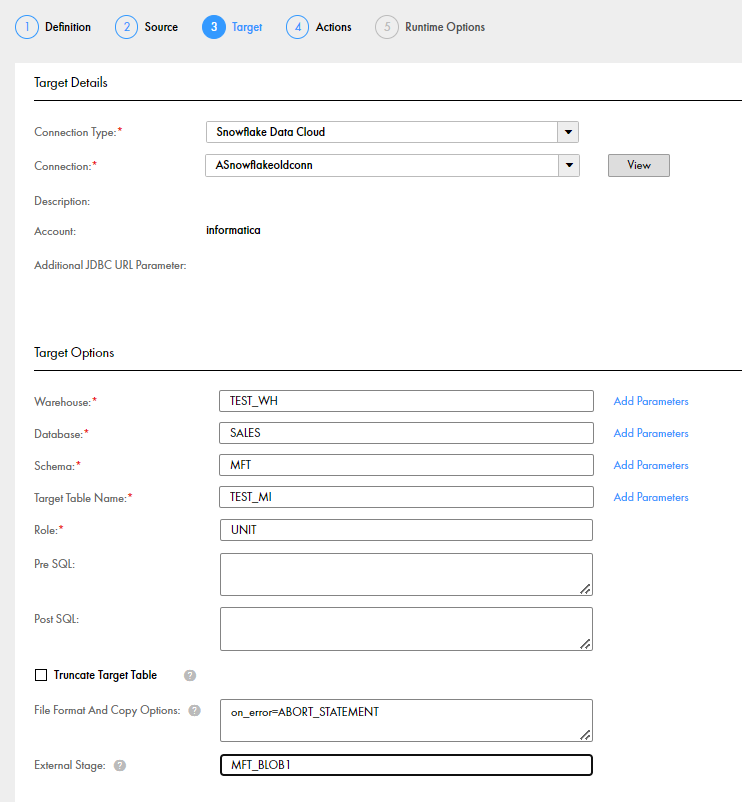
You must specify the external stage name for the specific connection type that you want to use in the
Target Options
section in the file ingestion task.
The external stage field value is mandatory when you run a file ingestion task to load files from Microsoft Azure Blob Storage to Snowflake Data Cloud where the connection type in the source is Microsoft Azure Blob Storage V2. When the source connection type is Amazon S3 V2, and you do not specify an external stage for Amazon S3 V2 in the Snowflake Data Cloud target options, Snowflake creates an external stage directory by default.
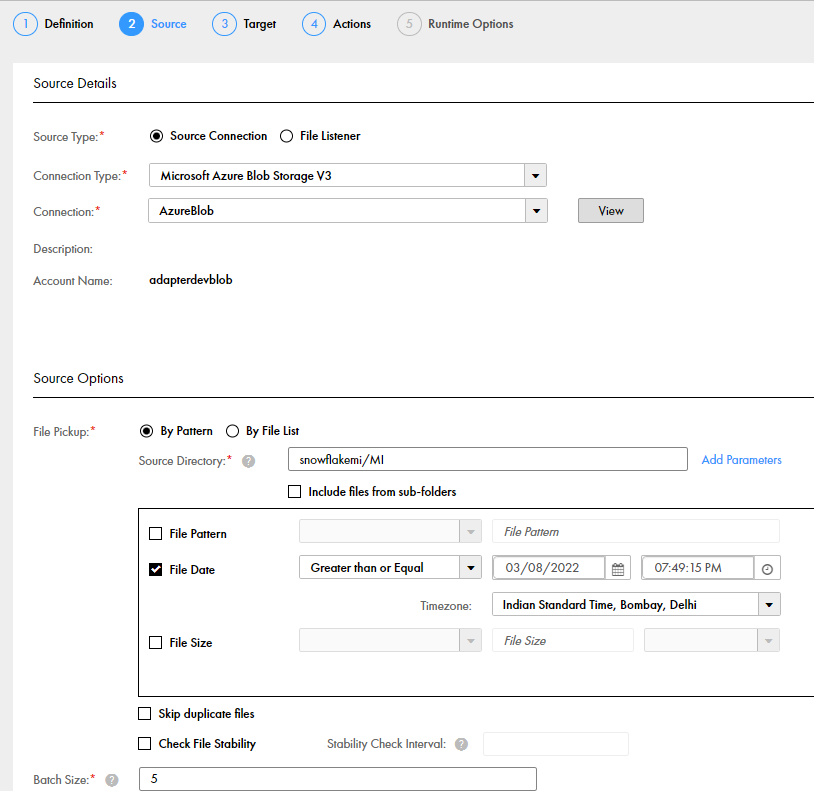
Ensure that the source directory path in the
Source Options
of the file ingestion task is the same as the directory path provided in the URL of the external stage created for the Microsoft Azure Blob Storage V2 or Amazon S3 V2 connection in Snowflake Data Cloud.
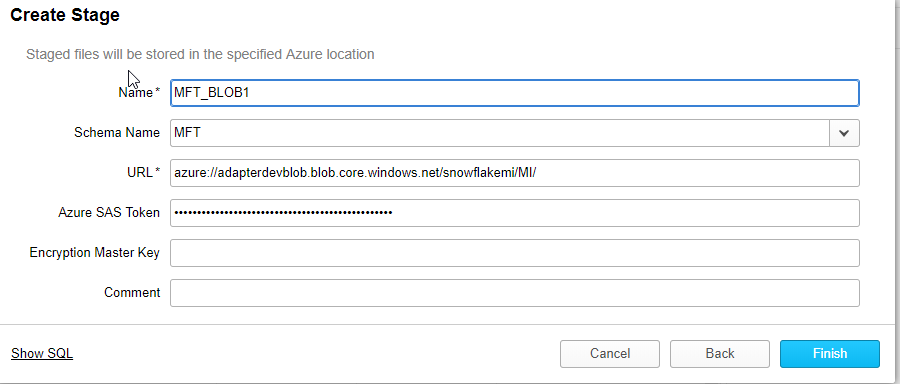
For example, an external stage for Microsoft Azure Blob Storage created using an Azure account name and a blob container with a folder path has the following stage URL:
'azure://<URL>/<blob container>/<folder path>'
. The stage uses the file format you specify in the
Target Options
of the file ingestion task.
The following image shows the stage name and the stage URL for a Microsoft Azure Blob Storage V2 connection in Snowflake Data Cloud:

 ASK INFAPreview