The October 2024 release includes the following new features and enhancements:
Data enrichment
When you create or update records, you can enrich them by accepting CLAIRE recommendations.
For more information about data enrichment, see
Enriching records with CLAIRE
recommendations.
Dynamic fields in workflow tasks
After you add or update dynamic field values in records, you can now submit the changes for approval.
As an approver, you can update dynamic field values when you review tasks in Workflow Inbox. You can also compare changes to dynamic field values with the existing ones.
For more information about dynamic fields, see
Dynamic fields.
Filter search results
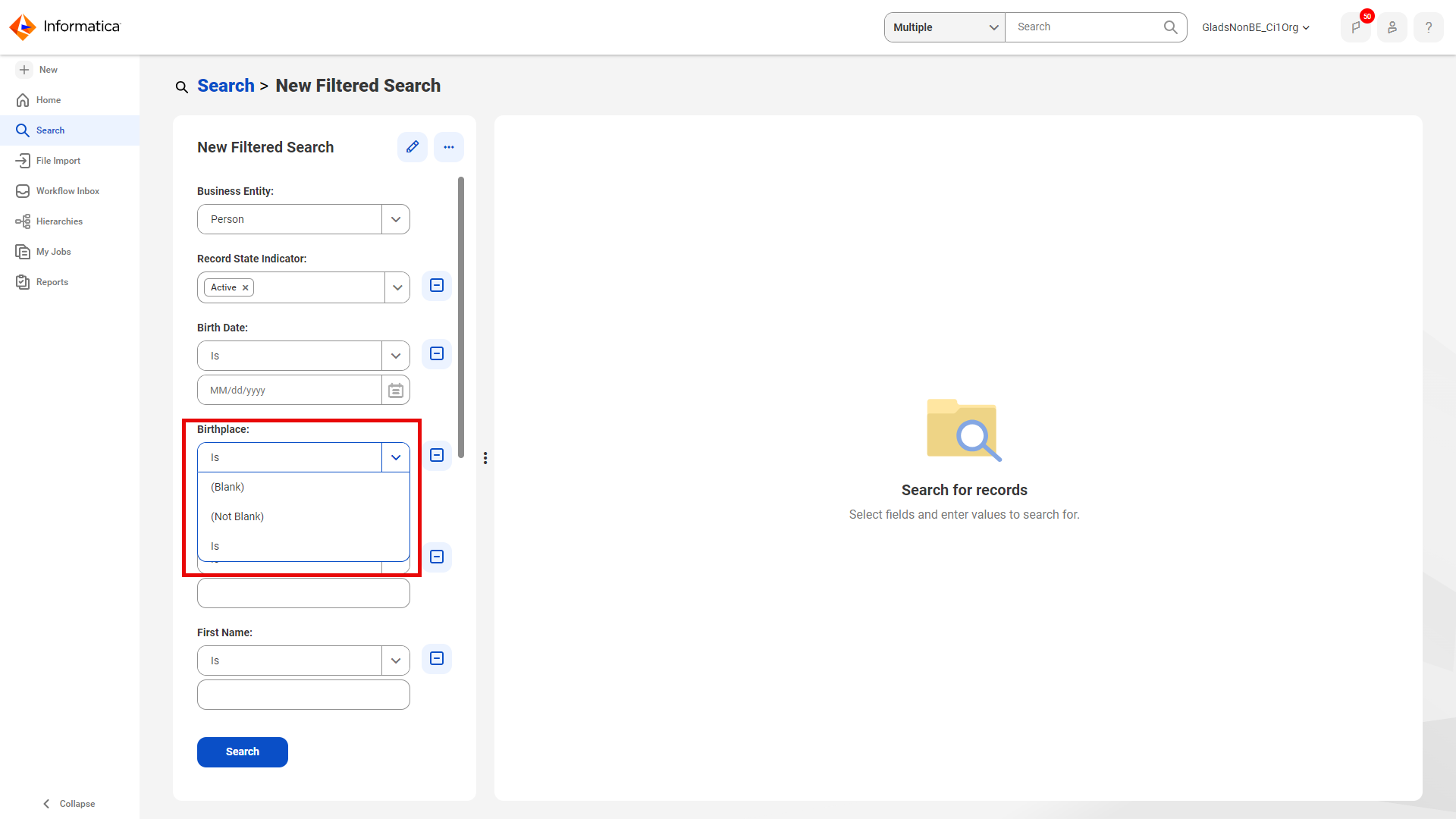
You can filter records based on fields that are blank, contain any values, or contain values that match the search term.
The following image displays the filter values for a specific field in the filtered search:
In the
Filters
panel, you can refine your search results by filtering records based on fields that are blank.
For more information about searching for records, see
Manage Records.
Custom reports
You can create custom reports based on fields that contain blank values. You can filter records based on fields that contain blank or any value.
For more information about reports based on master records, see
Manage Reports.
Record validation
You can import, create, and update records with validation errors. You can filter search results by validation status, errors, and error types, and fix validation errors to improve data quality. Predefined reports and custom reports display information about records with validation errors.
For more information about validation errors, see
Manage records.
Date and time fields
When you change the browser locale, date and time fields can now use the date and time format that the browser locale uses.
For more information about the browser locale format, see
Browser locale.
Relationship graph
You can now view the relationship graph in full screen.
For more information about the relationship graph, see
Records related with a relationship.
Trust override
You can now override the trust scores of duplicate field groups and nested field group
values.
For more information about overriding values of a master record, see
Establish the best version of the truth.
Enhanced view of duplicate field group values
The views of the Source Records page, Merge Records page, Unmerge Records page, and
Workflow Approval Merge Records page have been enhanced. They now display
duplicate field group values side by side, providing a clear view of data from
each source system.
For more information about merging and unmerging records, see

 ASK INFAPreview