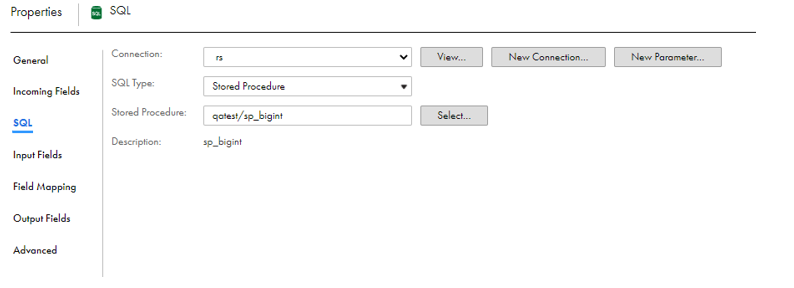
You can configure a SQL transformation to process a stored procedure on the
SQL
tab of the SQL transformation.
Add a SQL transformation in an Amazon Redshift mapping.
Perform the following tasks in the SQL transformation:
Enter a name and description for the SQL transformation.
In the
Incoming Fields
tab, define field rules that determine the data to include in the transformation.
In the
Properties
panel of the SQL transformation, click the
SQL
tab.
On the
SQL
tab, perform the following tasks:
Select the connection to the database.
You can select the connection or use a parameter.
Set the SQL type to
Stored Procedure
.
Click
Select
to select the stored procedure from the database, or enter the exact name of the stored procedure to call.
The stored procedure name is case-sensitive.
If you add a new stored procedure to the database while you have the mapping open, the new stored procedure does not appear in the list of available stored procedures. To refresh the list, close and reopen the mapping.
The following image shows the configured SQL transformation properties:
On the
Field Mapping
tab, specify how to map incoming fields to the input fields of the selected stored procedure.
Define advanced properties for the transformation according to your requirement.

 ASK INFAPreview