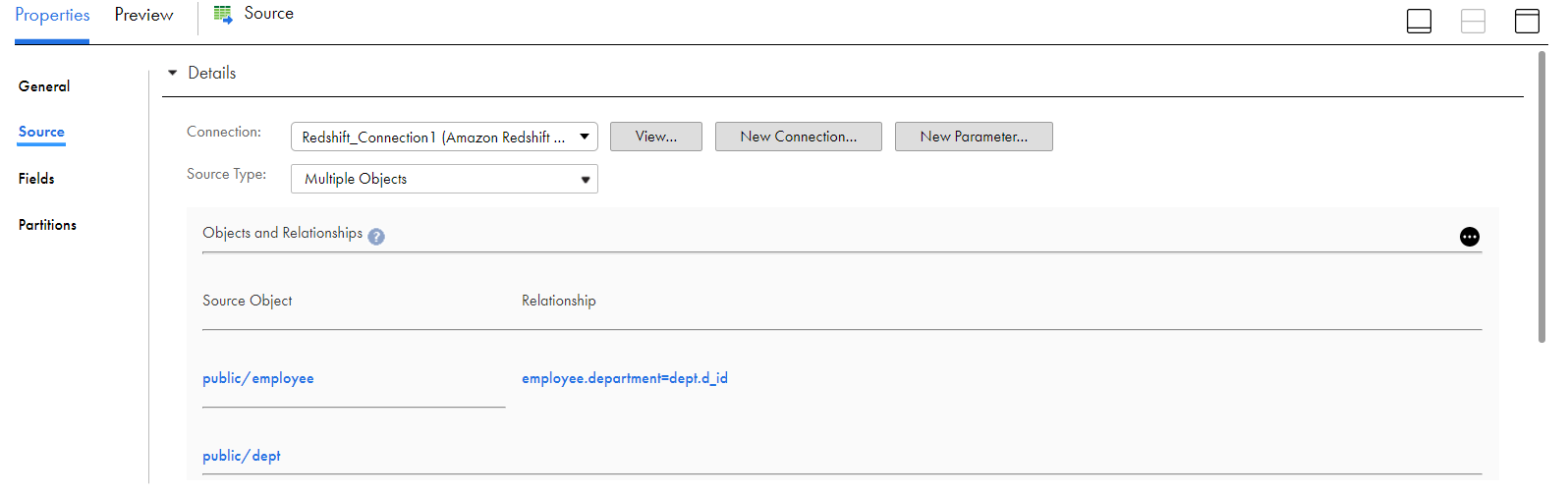
When you create a Source transformation, you can select Amazon Redshift V2 multiple object as the source type and then configure a join to combine the tables. You can define a relationship condition or a query to join the tables.
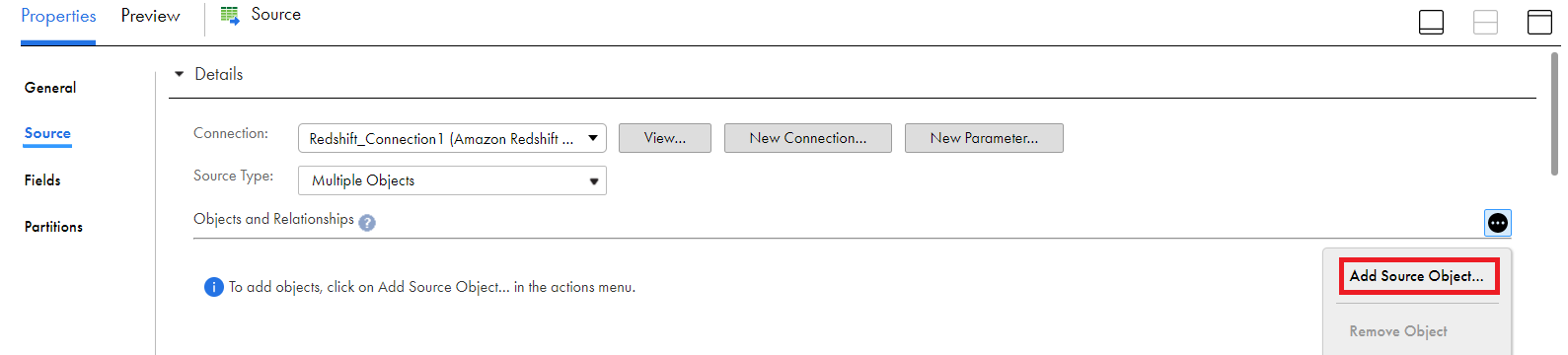
In the Source transformation, click the
Source Type
as
Multiple Objects
.
From the
Actions
menu, click
Add Source Object
.
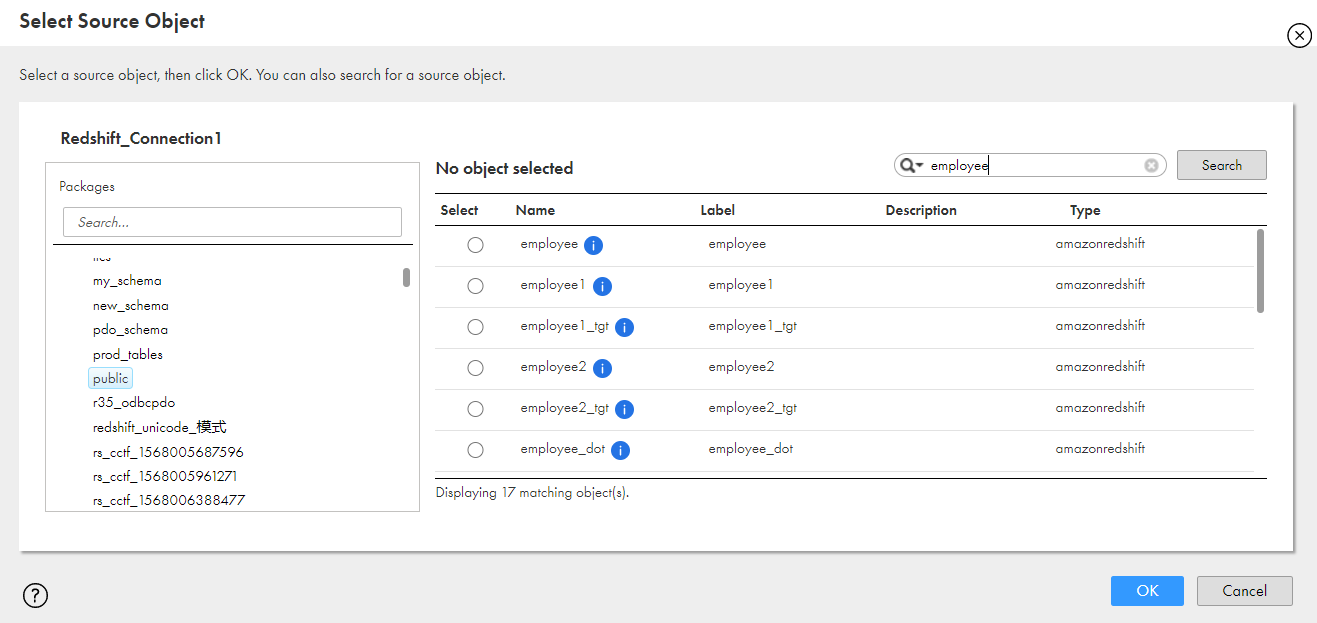
Select the source object that you want to add from the displayed list.
Click
OK
.
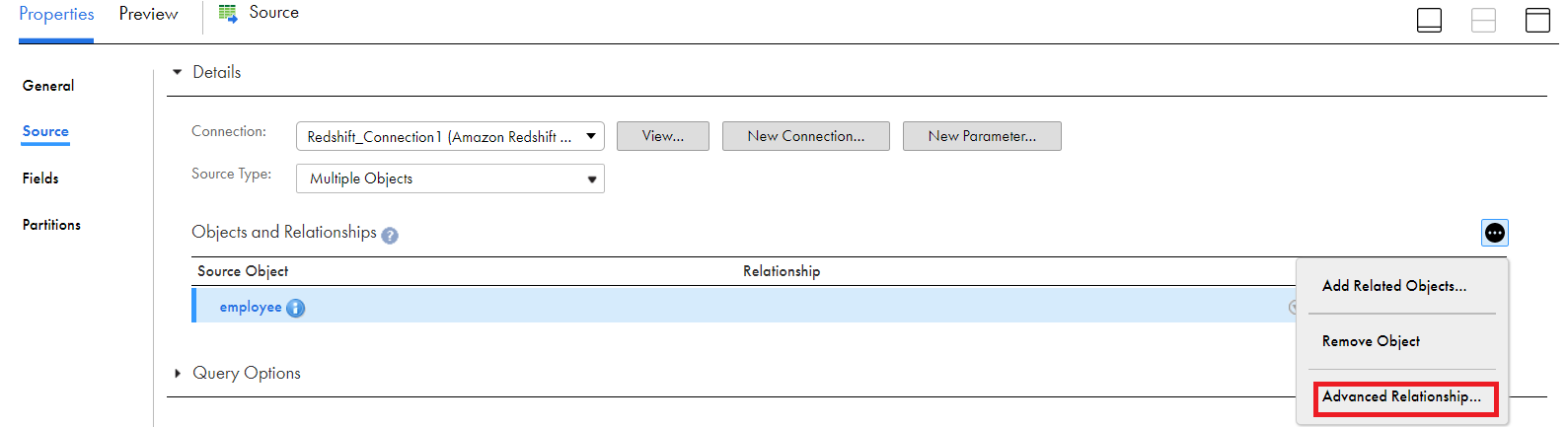
From the
Related Objects Actions
menu, select
Advanced Relationship
:
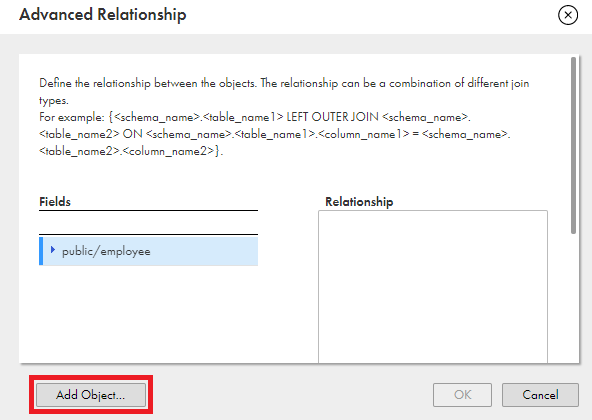
In the
Advanced Relationship
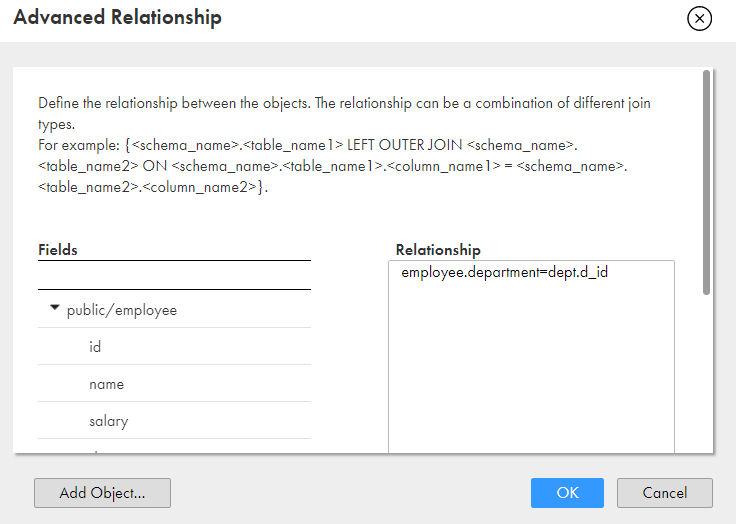
window, you can click
Add Object
to add more objects.
Click
OK
.
Set your own conditions or specify a query to define the relationship between the tables:
When you configure a join expression, select the fields and define a join condition or a query syntax.
Click
OK
.
The following image shows an example of an advanced join condition defined between the Amazon Redshift V2 tables:

 ASK INFAPreview