To validate address data, you add the service URL provided by the developer. You can then run the service against the data in your worksheet.
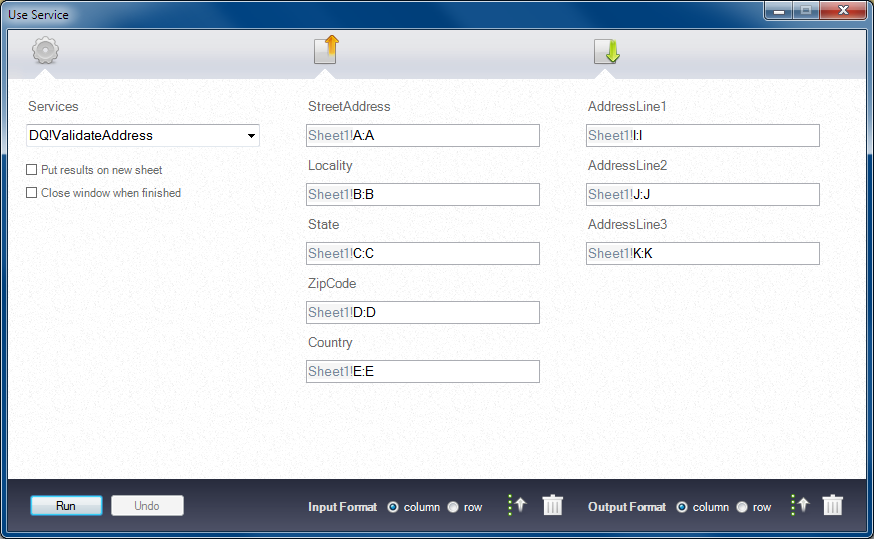
The following figure shows a Service window that contains the inputs and outputs for an address validation service:
Populate the input fields with the corresponding range of data in the worksheet. When you run the service, the data quality service analyzes the input data and generates validated addresses.